Official app download

bdtk99 Download the app — get the best mobile betting experience on Android and iOS

Download the official bdtk99 mobile app and enjoy cricket, football, and Live Casino from anywhere. Easy to install, even easier to use.

bdtk99

Choose your device

Bdtk99 works flawlessly on all devices

Android

Install the bdtk99 APK on any Android 5.0 or higher device. Download it directly from our site — no Play Store needed.

Enable "Unknown Sources" before downloading the APK.

IOS (iPhone / iPad)

IPhone and iPad users: visit bdtk99.onl in Safari and use the "Add to Home Screen" option. It runs just like a native app.

iOS 12+ supported. Use the Safari browser.

Mobile Browser

You can use bdtk99 in full on Chrome, Firefox, or any modern browser without installing the app. No storage space required.

Works on all 3G/4G/5G networks.

Steps to install bdtk99 on Android

Follow the simple steps below and get started in just a few minutes.

1

Open your phone's Settings

Go to Settings → Security or Privacy and enable "Install Unknown Apps" or "Unknown Sources".

2

Download the APK

Visit bdtk99.onl in your mobile browser and save the APK file directly from the download page.

3

Install the APK

Go to your Downloads folder, tap the bdtk99.apk file, and hit "Install". The installation completes in under 30 seconds.

4

Log In or Register

Launch the app and log in to your bdtk99 account. New user? Register directly and claim your welcome bonus.

bdtk99

Guide to using bdtk99 on iPhone and iPad

While many betting apps are unavailable on the Apple App Store, bdtk99 offers a great alternative for iOS users. Add the web app to your Home Screen via Safari for an experience that feels just like a native app.

  • Open Safari on your iPhone and go to bdtk99.onl.
  • Tap the share icon (□↑) at the bottom of the screen.
  • Select the "Add to Home Screen" option.
  • Enter "bdtk99" as the name and tap "Add".
  • Now launch bdtk99 directly from your Home Screen — just like a native app.
Tips: This option may not work from Chrome on iOS. Always use Safari.
bdtk99

App vs. browser — which one is right for you?

A side-by-side comparison of both options

Features Android App iOS web app Mobile Browser
Installation APK download required Direct from Safari No install required
Loading Speed Blazing fast Fast Depends on network
Push Notifications Full Support Partial support None
Offline access Partial None None
Update Automatic Automatic Always Up to Date
Storage Usage ~30 MB Minimal Cache Only
Fingerprint Login Supported Face ID support None

Why download the bdtk99 mobile app?

Most internet users in Bangladesh go online through their smartphones. From Dhaka and Chittagong to the most remote parts of the country, mobile is the primary device. bdtk99 is built with exactly this reality in mind — an app that runs smoothly on slow networks, performs well on low-RAM phones, and keeps battery usage to a minimum.

Downloading the app gives you a dedicated Home Screen icon for direct login — no more typing the URL into a browser every day. You'll also receive push notifications to stay on top of new bonuses, live match updates, and promotional offers before anyone else.

Lightning-fast speed

The app loads in under 1 second, even on a 3G network.

Smart Notifications

Get instant updates on live matches, new bonuses, and special offers.

Biometric Login

Log in instantly with your fingerprint or face — no password needed.

Low battery usage

Optimized code keeps battery drain low so you can play longer.

The bdtk99 app is updated regularly. Each update brings new games, improved performance, and enhanced security features. You don't need to check manually — the app updates itself in the background.

bdtk99

What you get with the bdtk99 app

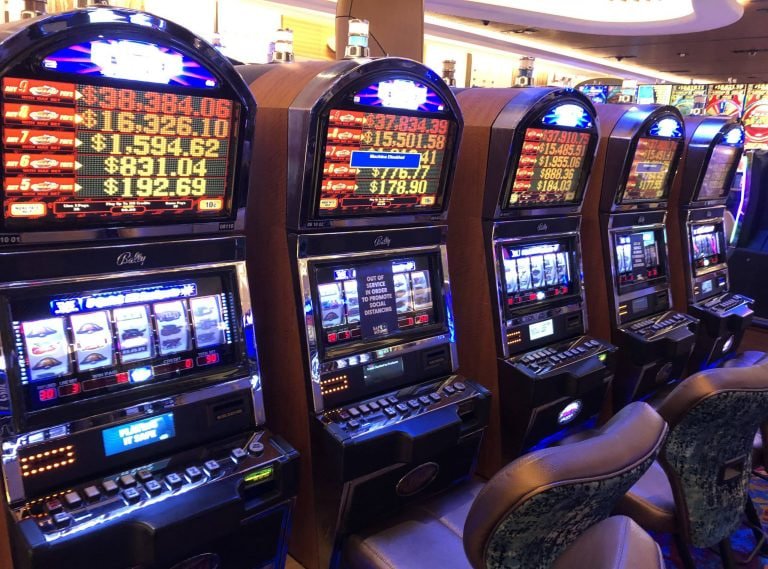
Bdtk99 is more than just betting — it's a complete gaming platform. Cricket, Live Casino, slots, bingo — all in one place. The interface is specially designed for smaller screens, so scrolling and tapping feel completely natural.

Live Sports Betting

View real-time odds across 30+ sports including cricket, football, and tennis, and place bets while the match is in play.

Live Casino

Play Baccarat, Roulette, Teen Patti, and more with real dealers — all from your mobile.

Slots & Bingo

Enjoy hundreds of slot games and bingo rooms right in the app. New games added every week.

Fast Deposits & Withdrawals

Deposit or withdraw funds directly within the app via mobile banking and e-wallets.

App technical details

File Size (Android) ~30 MB
Minimum Android version Android 5.0+
Minimum iOS version iOS 12+
Language Support Bangla, English
How to update Automatic
Encryption 256-bit SSL
Biometric Login Supported

Common Issues & Solutions

You may occasionally run into minor issues during download or installation. These are usually easy to resolve. Below are the most common problems and how to fix them.

"Install Blocked" message appearing

Check that Settings → Security → Unknown Sources is enabled. On some devices this option appears as "Install Unknown Apps".

Download keeps stopping midway

Try again on WiFi or a stronger mobile data connection. Clear your browser cache and re-attempt the download.

App won't install

Check that your phone has enough storage — at least 100 MB of free space is required. Uninstall the old version and reinstall the app.

App won't open or keeps crashing

Restart your phone and try again. If the issue persists, uninstall the app and download the latest version.

If your issue remains unresolved, contact our 24/7 support team. Email: [email protected]

Download FAQs

Frequently asked questions

Yes, the bdtk99 app is completely free to download and install. There are no charges for the Android APK or the iOS web app. All you need is an internet connection to get started.

APKs downloaded directly from bdtk99.onl are fully safe and verified. Avoid downloading the APK from any third-party sites, as those files may have been tampered with.

No, bdtk99 only permits one account per user. You can log into different accounts from the same phone, but creating multiple accounts for a single person is strictly prohibited.

The bdtk99 app updates automatically in most cases. For major updates, you'll be prompted to download the new version when you open the app. You can install the new APK directly over the old one — no need to uninstall first.

Absolutely. bdtk99 is fully accessible from any modern browser on a desktop or laptop. Just visit bdtk99.onl and log in to your account. The desktop version lets you enjoy games on a larger screen.

Download bdtk99 now and start playing

Install and register in just minutes, then kick off your first betting experience with a welcome bonus.

বাংলা